
New Website Design and Development
We design and develop a fast, accessible and secure website aligned with your brand and business goals, prepare it for SEO and AI visibility, and verify the delivery with the engine.
Schema-ready static production
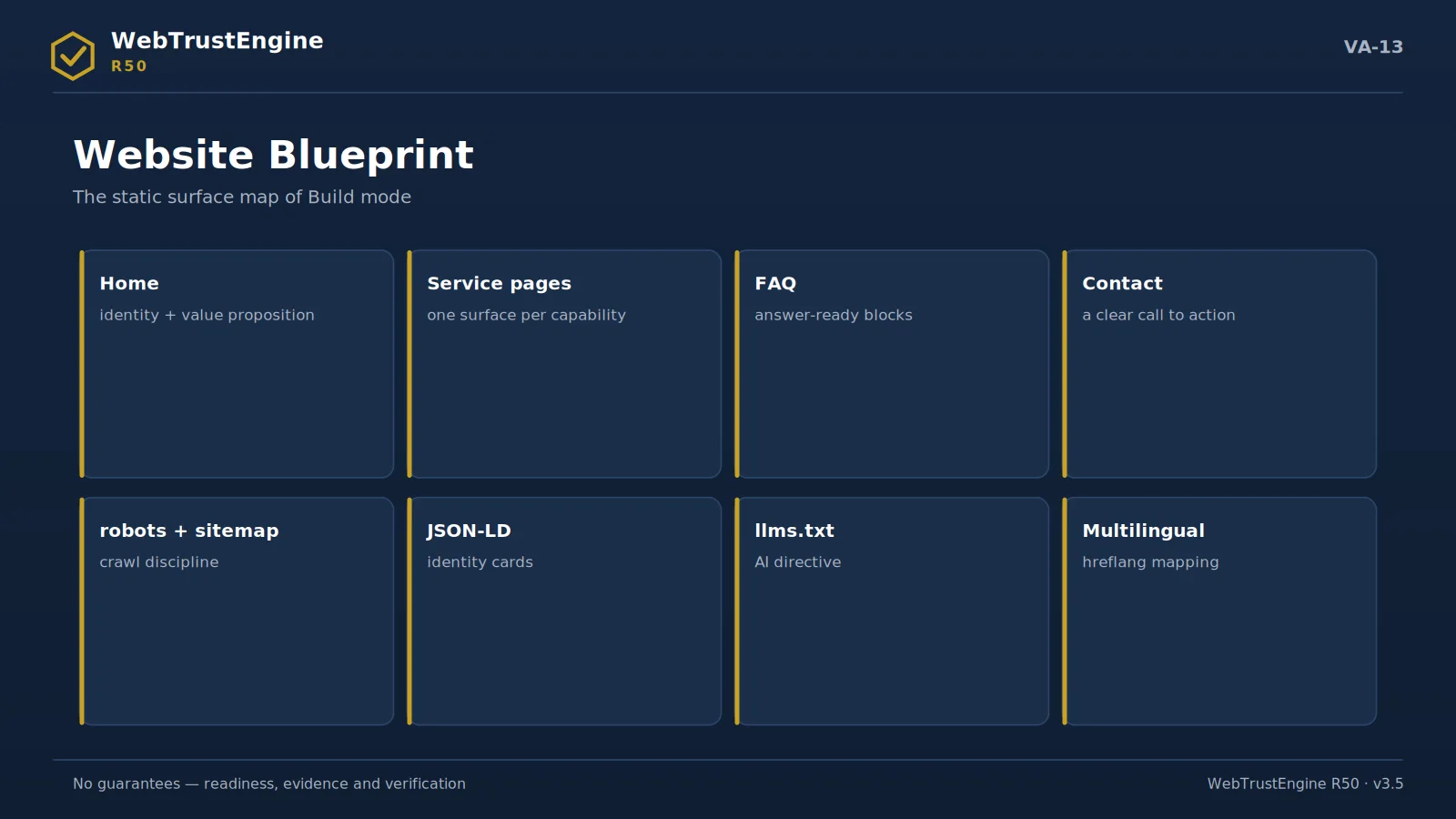
The website blueprint: eight building blocks of the static surface.
Build is for producing new pages or sites; yet public copy deliberately avoids the claim 'builds and takes live'. Build produces consistent static surfaces by component, sector, language, structured data, SEO and AEO/GEO rules. Production follows the claim-safe content principle: no guarantee language, no unverifiable claims.
A static architecture is preferred: few dependencies, high auditability, easy portability. Schema-ready sections (Organization/Service/FAQ) are built in from the start; multilingual structure is set with hreflang and consistent identity signals. Build output is not an upload; authority to go live stays with the site owner, and post-deploy verification is performed automatically by the engine.
- component/sector/language rules
- claim-safe content
- schema-ready sections
- multilingual consistency
- publish decision separate
What the engine does: Produces consistent, schema-ready static surfaces.
What it doesn't: No auto go-live; no guarantee language.
What the output is: A publish-candidate package + approval checklist.
For decision-makers: Fast, auditable production capacity.
For technical teams: Component rules give reusability.
Sector application notes
The same frame needs different emphasis by sector; the notes below say where to look on the first run.
Finance / investment
Security headers and privacy visibility lead; claim language (returns/success) passes the claim-safety filter; legal texts stay in the owner's commercial-decision class.
Media / news
Structured data (Article/Person) and author-date signals are critical; social-preview integrity binds to Deploy-Verify at each publish.
Technology / SaaS
Heading hierarchy and code-sample accessibility on docs pages; AI readability (llms.txt) should be set early.
Healthcare
Content accuracy centers the manual layer; schema is built to avoid medical claims; privacy signals are tightly audited.
Education
Multilingual consistency and the static accessibility set lead; event/course schemas are added via conditional rules.
E-commerce (info layer)
Product schema only on real product pages; performance readiness and preview cards bind to the campaign rhythm.
Public / NGO
Accessibility and transparency texts take priority; document/PDF link hygiene is specially flagged in Review.
Agency / studio portfolio
Its own site is showcase evidence: a sample evidence package is published; before/after table language replaces claim numbers.
Static / runtime / external split
Static / Runtime / External / Manual Matrix
Every finding in its right class
Static — engine
detect + fix in files
Runtime — bridge
verify via independent tools
External — recipe
DNS · CDN · panel work
Manual — human
judgment-required items
No guarantees — readiness, evidence and verification. Number contract: 348 checks · 80 core + 268 granular.
The structured-data layer
Build templates place the Organization, WebSite, WebPage, BreadcrumbList and FAQPage layers per page context; entity names and identity fields match the site one-to-one.
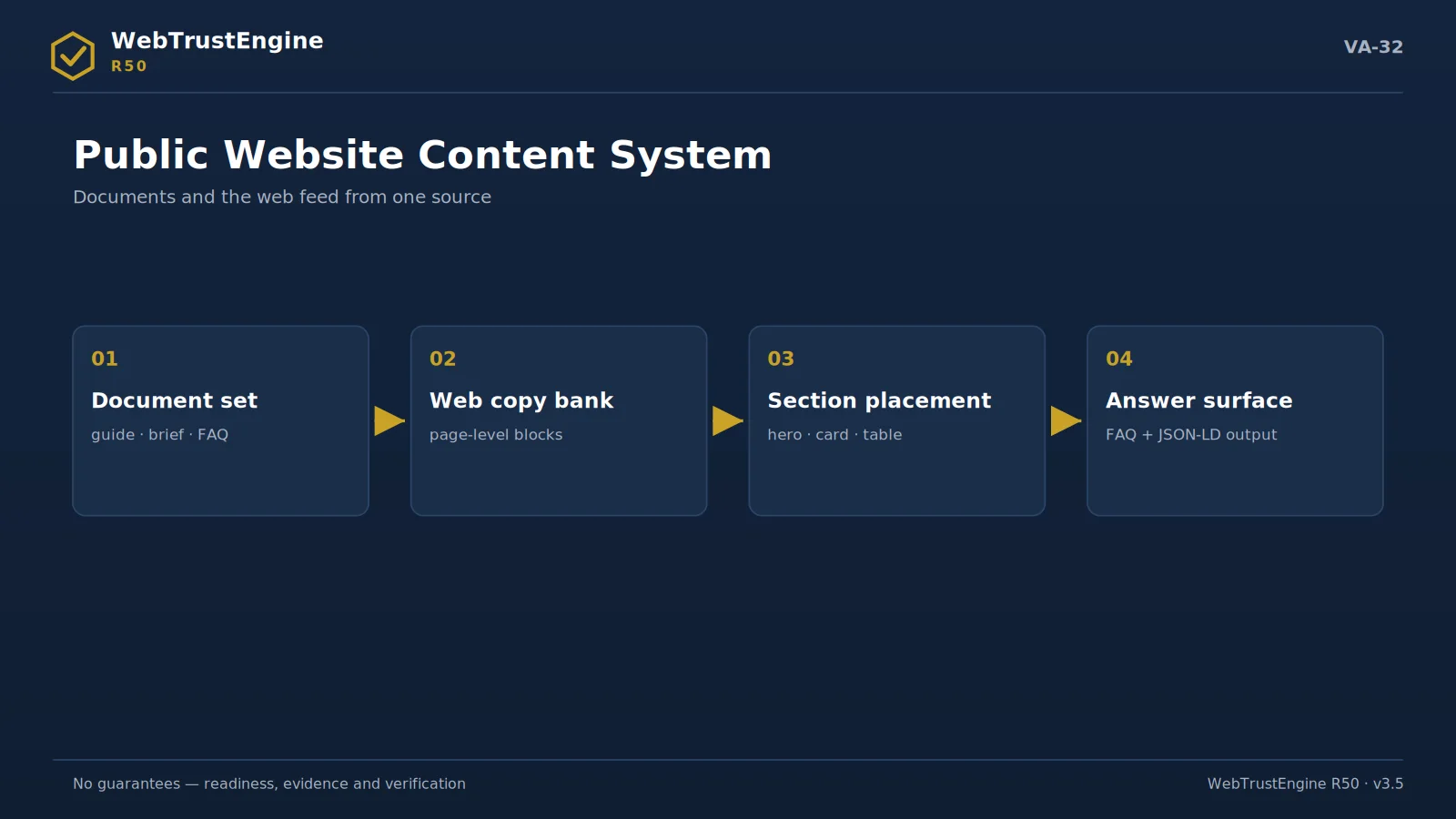
PHILOSOPHY The strength of a static surface
Build mode is not a 'rewrite-everything site generator'; it produces schema-ready, auditable static surfaces. The static choice is deliberate: with no server-side code the attack surface shrinks structurally, cacheability rises, and every page's source can be read and archived line by line. It is also the natural ground of evidence culture — every produced file is an artifact that can be written into a manifest.
MULTILINGUAL Multilingual as co-production, not translation
In bilingual builds every page pair is linked with reciprocal hreflang; x-default is chosen deliberately; URL schemes stay clean and permanent per language. On the content side the rule is that thin translation is banned: each language carries a full narrative of its own. Language bleed — English residue on a TR page or the reverse — is scanned by a dedicated check family; this very site passes the same scan.
THE META LAYER Meta, canonical and the card layer
Every page carries a unique title and a unique description; the canonical address is single and absolute; Open Graph and Twitter cards remove the guesswork from the moment of sharing. This layer is not 'SEO decoration' but addressing discipline: the same content living at two addresses breaks your own archive and measurement order before it ever bothers a search engine.
JSON-LD is part of production too: Organization and WebSite identity, WebPage/FAQPage by page type, BreadcrumbList for navigation. Schema's job is not to beg for rich results but to state who you are to machine readers in one voice; the display decision always belongs to the search engine, and that boundary is written down.
A11Y SKELETON Accessibility starts in the template
A single H1, ordered heading hierarchy, a skip link, mandatory alt text, a keyboard-navigable menu and visible focus — these are not a 'compliance layer' bolted on later; they are the production template itself. Items catchable by static audit are separated from items needing expert judgement from the start, and no output ever claims an 'accessibility certificate'.
BOUNDARIES Pre-deploy boundaries
Build mode's output is not 'a site running live' but 'a deploy-ready file root'. Server behaviour, header processing, certificates and the cache layer can only be proven after deployment — which is why every build package ships together with a Deploy-Verify plan. Content-evidence alignment is locked here too: every number and every document link on a page must resolve to a real file in the package.
ANATOMY
The anatomy of a Build output
The clearest way to understand what Build delivers is to walk through a single page's head. Charset and viewport come first — mobile scaling is never left to chance. Then a unique title and description: every page carries its own sentence, no template line is cloned across the site. The canonical tag declares the page's one official address; directly beneath it, the reciprocal hreflang pair binds the Turkish and English versions for machines, with x-default closing the ambiguity.
OG and Twitter cards pin the title, description and the 1200×630 image a shared link will show — the preview is engineered, not hoped for. In the JSON-LD layer sit WebPage and BreadcrumbList, joined where appropriate by FAQPage or Organization; the schema carries exactly the claims of the visible content, never more. The body is built on an accessibility skeleton: a single H1, an orderly heading ladder, dimensions and alt text on every image, a keyboard skip link.
None of this is decoration. It is precisely the list Deploy-Verify will check in production. Build constructs, in advance, the thing that will be verified.
BOUNDARIES
Pre-deploy boundaries and content-evidence alignment
Build deliberately refuses three things. It does not touch server configuration: HTTPS redirects, HSTS and security headers travel to the hosting layer as recipes. It does not claim live behaviour: a file can be perfect on disk while cache, CDN and DNS change the live outcome — which is why "produced" and "working in production" are never used interchangeably. And it does not invent content: every number and every claim entering a page must match its counterpart in a source document; a sentence without a source cannot enter the template.
The build phase of the implementation roadmap audits this alignment explicitly: output does not count as delivered until it passes its own claim-safety scan. Build, in short, is not a brochure press — it is a surface caster that speaks the same language as the evidence.
HANDOVER
What the delivery folder contains
A Build delivery is a folder you can archive: the page tree, the assets with responsive derivatives, the technical files (sitemap, robots, llms, manifest), a content-source map that ties each page to its source document, and the run log of the claim-safety scan. Whoever opens the folder a year later can reconstruct not just what was built, but why every sentence in it was allowed to exist.
Quick answers
Does it go live?
No; it produces a candidate package.
By which rules?
Component/sector/language/schema/claim-safety.
Does it break the site?
Build produces a separate surface.
SEO-fit?
Technical readiness rules are built in.
Who publishes?
You; with an approval checklist.
Next step
Consistent static surfaces by component, sector, language and claim-safety rules; you decide to publish.