
Tool Ecosystem
From SecurityHeaders to PageSpeed, OWASP to WCAG: the engine doesn't replace tools, it governs their signals.
Working protocol with independent tools
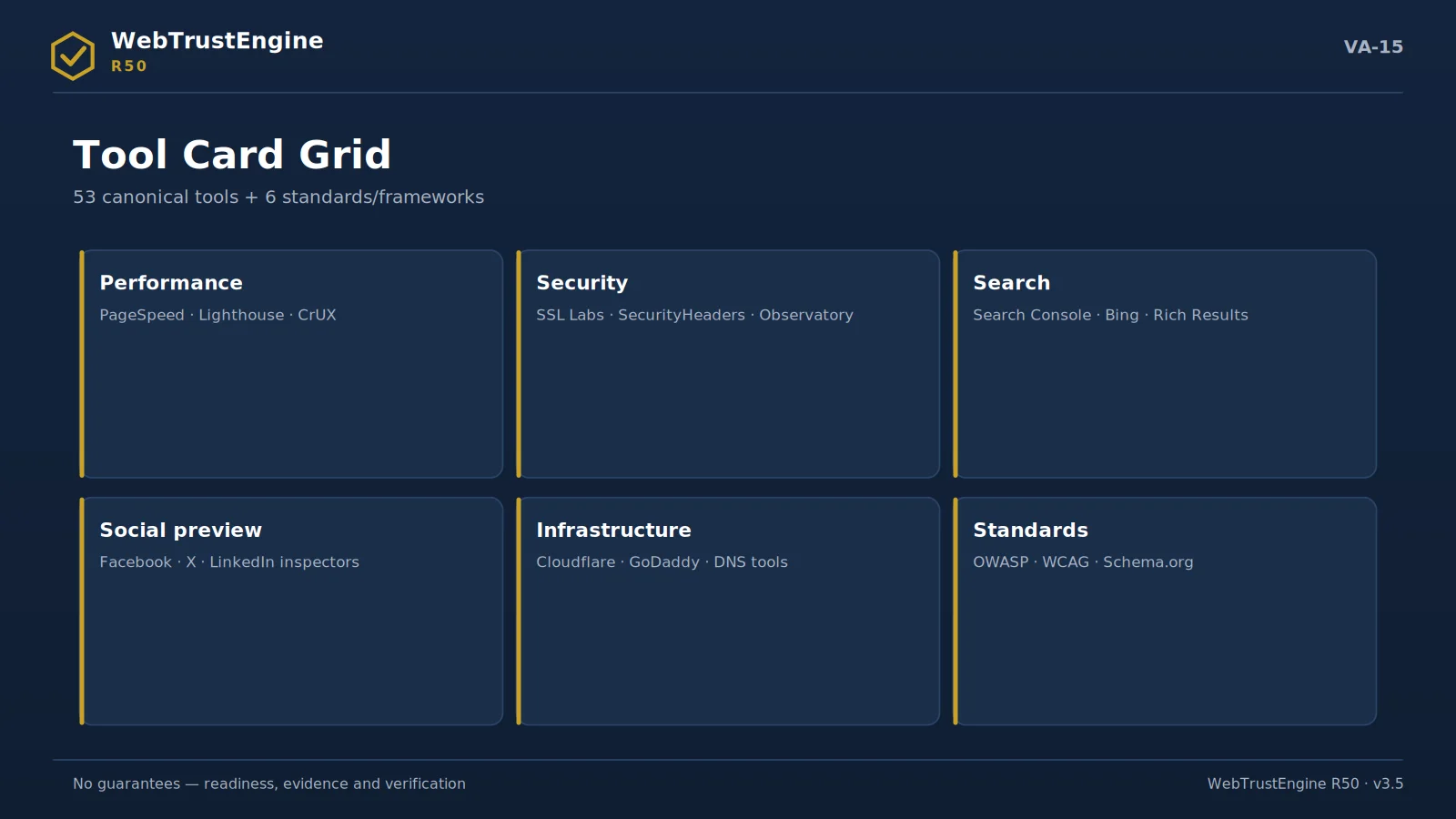
External measurement ecosystem: independent tools produce live scores; the engine binds results via bridges.
The tool-to-domain matrix: the domain and timing map of independent validation.
Run-and-read notes for the six main tools used in the Deploy-Verify pass
SecurityHeaders
Enter the domain, read per-header; gaps map to the .htaccess recipe. If the grade is low, check cache/processing first.
Mozilla Observatory
Compare the post-scan suggestions with our header recipe; overlapping advice merges into one policy.
SSL Labs
Full analysis takes 1-2 minutes; read chain, protocol and OCSP rows. Server-side findings go to external recipes.
PageSpeed / Lighthouse
Write lab metrics into the readiness column; field (CrUX) data is a separate column. Never report the two as one score.
Rich Results Test
Test schema-bearing sample URLs; on errors re-audit type-page fit and required fields.
Search Console
After verification submit the sitemap; bind coverage and CWV reports to the Monitor rhythm.
External action recipes
The external action map: eight platform areas the engine cannot change in files.
An external action recipe turns steps the engine cannot perform in-file — yet which directly affect web quality — into manageable instructions. The engine never marks these as 'auto-fixed'; it produces recipes answering who, where and in what order.
The recipe universe groups into 24 headings with typical examples: enabling DNSSEC; the SPF/DKIM/DMARC email identity chain; MX layout; Cloudflare security level and WAF rules; HSTS preload submission; Search Console and Bing Webmaster verification; IndexNow; CDN cache purge; hosting server headers; TLS server configuration; security.txt placement; social-preview debugger refresh.
Every recipe follows the same template: where it applies (panel/record/service), concrete steps, verification path. 'DNS work' stops being a vague task and becomes an actionable item the owner can execute and the engine can later verify.
- DNSSEC · SPF/DKIM/DMARC · MX
- Cloudflare · WAF · HSTS preload
- Search Console · Bing · IndexNow
- CDN purge · hosting headers · TLS config
- security.txt · preview debugger
What the engine does: Turns external steps into actionable recipes.
What it doesn't: Doesn't perform panel/DNS work itself, never claims it did.
What the output is: A 24-heading recipe set (steps + verification).
For decision-makers: A clear ownership list of external dependencies.
For technical teams: The step+verify template cuts operational error.
How runtime bridges attach to the tools
The runtime bridge: four steps from static signal to independent measurement.
A runtime bridge is the bridge layer for checks that cannot be exactly measured from a static file. The principle is simple: the engine fabricates no measurements. Offline, the bridge says it requires a live run and writes which tool measures which metric and how; live, it routes to the real measurement.
The bridge universe groups into 53 checks with typical examples: SecurityHeaders (header grade), Mozilla Observatory, SSL Labs (TLS grade), PageSpeed/Lighthouse (lab metrics), CrUX (field CWV), social-preview inspectors, redirect-chain tracing, uptime/response headers, the contrast runtime check, a link checker for broken external links.
This layer answers two questions at once: 'who produces live scores' (independent tools) and 'why is the engine still needed' (because the bridge binds measurement to baseline and report; a lone tool score is not a decision surface).
- SecurityHeaders · Observatory · SSL Labs
- PageSpeed · Lighthouse · CrUX
- preview inspectors · redirect chain
- uptime · response headers · contrast · link checker
What the engine does: Binds live measurements to real tools.
What it doesn't: Fabricates no scores; replaces no tools.
What the output is: The bridge list + tool/metric/how template.
TOOL CARDS I
Measurement & validation tools
Five tools, one principle: grades come from outside.
PageSpeed Insights
Issues the performance grade; the engine flags static readiness and never imitates the result. The recipe states which pages and which device profile to measure; the output enters the evidence folder with its date. When static readiness and field measurement diverge, cache behaviour and image weight are the first places to look.
no automated result claimLighthouse
Issues the performance grade; the engine flags static readiness and never imitates the result. The recipe states which pages and which device profile to measure; the output enters the evidence folder with its date. When static readiness and field measurement diverge, cache behaviour and image weight are the first places to look.
no automated result claimSSL Labs
Issues the TLS grade; the engine classifies certificate/redirect readiness. The protocol and chain sections of the result map to the recipe's checklist. A low grade usually traces back to the TLS version setting in the hosting panel — most fixes live there.
no automated result claimSecurityHeaders
Issues the live header grade; the recipe is engine output. Because headers are processed at the server layer, the grade is meaningful only after deployment. The recipe carries each header's sample value and where to add it; the existing configuration is read first so no duplicate policy is created.
no automated result claimSearch Console
Provides indexing proof; the sitemap is submitted via an external action recipe. The coverage report's discovered/indexed split is compared against the site's true page count. The engine performs nothing in this panel on your behalf; the reading and comparison order lives in the recipe.
no automated result claimTOOL CARDS II
Infrastructure & access tools
Bing Webmaster
Provides indexing proof; the sitemap is submitted via an external action recipe. The coverage report's discovered/indexed split is compared against the site's true page count. The engine performs nothing in this panel on your behalf; the reading and comparison order lives in the recipe.
no automated result claimRich Results / Schema validators
Confirms schema eligibility live. The JSON-LD in production and the test result must carry the identical claim; warnings are usually missing required fields and fall inside SafeFix scope. Whether a rich result is shown is always the search engine's decision.
no automated result claimDNS / MX / DNSSEC tools
Verifies the record layer; changes happen on-platform via recipe. Because of propagation, verification repeats hours after the change and both pulls enter the evidence folder. Mail records (MX/SPF) are handled apart from web changes — the recipes never mix the two.
no automated result claimCDN / hosting panels
Cache purges and header processing happen here. Most post-launch 'old page still showing' complaints originate at this layer; the recipe chains the purge step and the verification pull. Panel names vary, the order does not: purge, wait, pull live, compare.
no automated result claimAccessibility checkers
Automated accessibility scans; expert items sit in a separate class. What automation catches is the measurable layer — contrast, labels, structure; signals such as the overall screen-reader experience stay out of automated scope and out of the score. The two layers are never blended in reports.
no automated result claim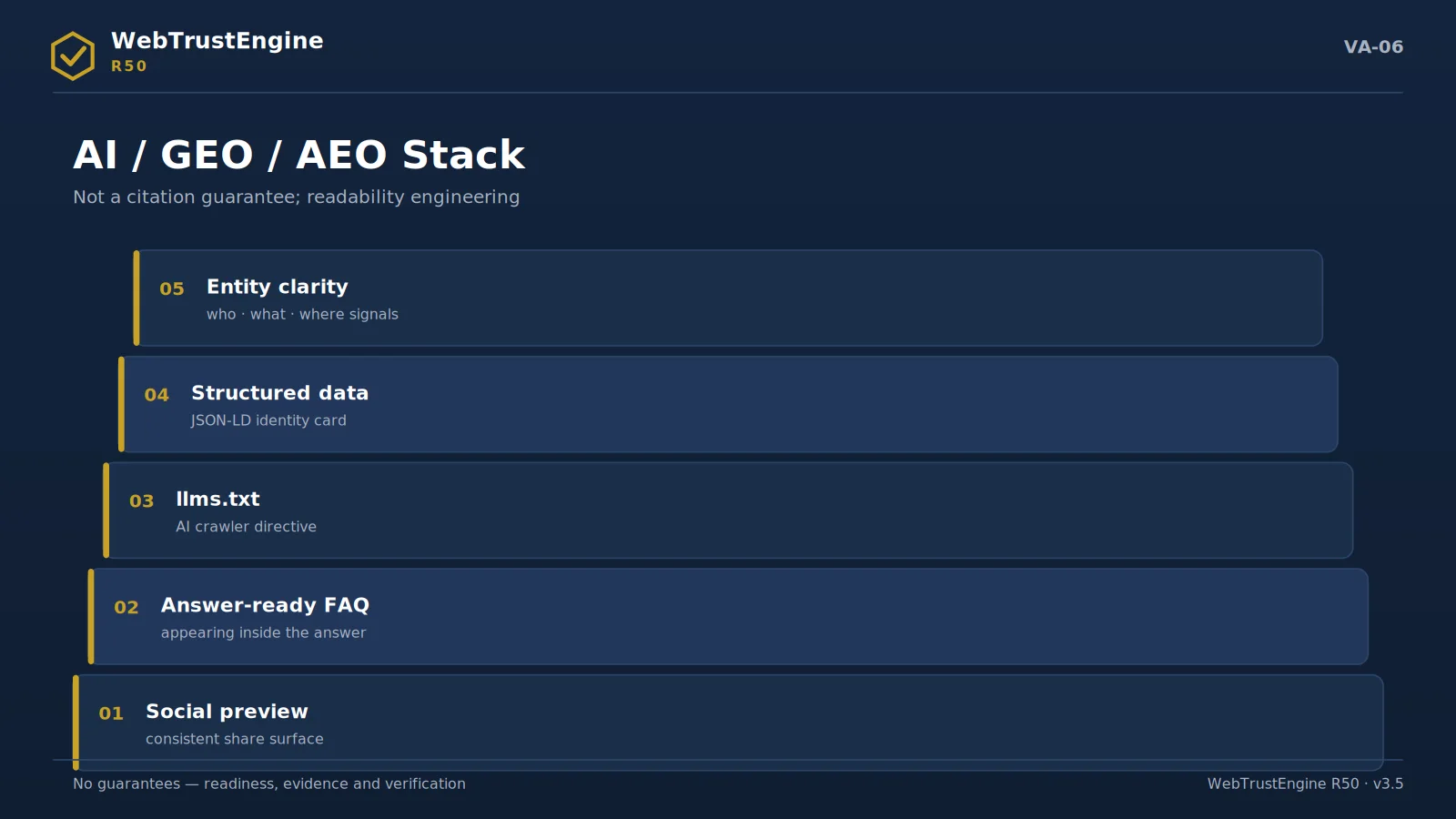
THE PROTOCOL A three-verb protocol: prepare, submit, archive
Working with the ecosystem runs on three verbs. Prepare: static checks clean the surface the tool will inspect — schema error-free, header recipe ready, map consistent. Submit: the external recipe describes which step, with which input, runs the tool — and which field of the result screen counts as evidence. Archive: the returned grade enters the evidence package with its date and address; six months later, 'what did it say that day?' is answered by a file.
Mind the inverse of the protocol too: the engine never predicts, imitates or 'you'll probably get an A' any tool's result. The ecosystem is a panel of referees; the engine's job is to bring you before that panel in your best state.
SELECTION Which tool, when?
The ordering is simple: right after deployment the delivery layer (live headers, SecurityHeaders, SSL Labs), then the discovery layer (sitemap submission to Search Console, Rich Results validation), then the experience layer (PageSpeed/Lighthouse), and on an ongoing basis the record layer (DNS/MX checks, the CDN panel). Each layer has its own recipe; you need not run them all the same day — but you must archive all their outputs in the same folder, because the curve is drawn by a dated series, not by isolated grades.
RECIPE ANATOMY
The anatomy of an external action recipe
To see what the 24 recipes are made of, take one of the most used: submitting the sitemap to Search Console. The recipe opens with preconditions — is domain ownership verified, does sitemap.xml answer on the live URL? Then the steps: select the correct property, open the Sitemaps screen, enter the address in exact form, submit. Then the verification criterion: a "Success" status and a discovered-URL count consistent with the site's reality. It closes with an evidence instruction: date and screenshot into the evidence folder.
What the recipe cannot do is written into it as well: the engine does not enter your account, does not submit on your behalf, and never pre-announces an "indexed" outcome. A recipe makes the work on an external platform repeatable and auditable — it does not appropriate it.
ROLE SPLIT
Who runs what
The ecosystem works because roles never blur. The engine produces the static classification and prepares bridges and recipes. Your team — or the service operator — runs the recipes inside your own accounts and files the outputs as evidence. The independent tools issue the grades and the official results. None of the three ever crosses into another's lane, and that is precisely why each layer's word carries its own weight.
A COMMON SCENARIO
PageSpeed came back low — now what?
The recipe's answer is a sequence, not a shrug: first compare the live result with the static readiness record — if readiness was green, the gap is almost always cache, image weight or a third-party script added after delivery. Purge, re-measure, and only then touch files. If readiness itself was amber, the findings map already names the files; those go to SafeFix or Build, and the re-measurement enters the evidence folder next to the first. Two dated results, one visible cause chain — that is what turns a tool grade into governance.
FILING
How tool outputs enter the evidence folder
The last step of every recipe is the same: evidence it. The practical arrangement is this — one sub-folder per tool, a dated file name per run (tool_page_YYYYMMDD), and the exported report beside the screenshot where one exists. When the same measurement is repeated the old file is not deleted; the new one is added next to it, so the folder itself becomes a time series.
This arrangement is not decoration: a year later, the answer to “when did performance drop?” sits in the folder’s chronology rather than in anyone’s memory. A single index file is kept at the root of the folder: a list of which tool ran on which date, with which recipe version. A new team member or an auditor reads that index first — looking for evidence starts with a map of the evidence.
The index format is plain as well: one run per line, four tab-separated fields — tool, date, target, file name. The plain format is deliberate: the index will still open in any text editor ten years from now. Tools may change; the arrangement stays. Durability is a property of the arrangement, not of the tool.
Quick answers
Instead of tools?
No; bridging and classification.
Who produces scores?
The tools themselves.
Why 53+6?
A canonical base; not an arbitrary list.
Do results enter the report?
Bound to baseline via bridges.
Can tools be added?
The ecosystem grows by release.
Next step
From SecurityHeaders to PageSpeed, OWASP to WCAG: the engine doesn't replace tools, it governs their signals.
LOCAL WORKFLOWS
The engine's new workflows
At version 0.8.1 the engine does more than run a checklist: it now runs distinct workflows, each with a name, a defined input and a defined output. Every one of them runs from a command you start yourself, on your own machine or server.
The scope of this version cannot be reduced to a single page bound: 501 or more HTML pages are processed without being silently truncated, the effective page bound is carried together into the crawl, structured-data and rich-result workflows, and the identity of an authoritative report becomes unambiguous: only a document bound in a verified manifest by its type, canonical path, byte size and SHA-256 counts as an official report. Truncation, a limit event, or a read or parse failure is never converted into success.
These workflows are not measured in the same unit as the check counts. Detectable checks, catalogue rules, security patterns, fixers and recipes are separate units, and these workflows are a separate layer again. Nothing here is added to anything else.
Each workflow is described with the same five questions: what you supply, what the engine does, what you end up holding, what has to be true for it to run, and where it stops.
Three rules that apply to all of them
- No cloud. None of these workflows is a hosted dashboard, a subscription account or a service running in the background. The output is a set of integrity-hashed JSON files that stay with you.
- Unknown never becomes a pass. When evidence is missing, the workflow returns UNKNOWN or PARTIAL, and the engine never converts that into PASS.
- No raw data is kept. URLs, query strings, cookie names, DOM bodies, file paths and credentials are not written into the artifacts; hashes and counts are used instead.
These workflows are not a penetration test, they do not issue a pass grade for a live site, and none of them contains pricing.
BROWSER-BASED MEASUREMENT
What actually happens in the browser
Three workflows measure the gap between the page the server sends and the page the browser builds. All three run when you supply the browser; the engine does not open a connection on its own.
Rendered crawl and DOM diff
- Input
- A site snapshot and a same-origin page queue derived from it.
- What it does
- For each page, the server-delivered HTML and the browser-built DOM are reduced to separate structure signatures and compared; added, removed and modified elements are counted. The same run builds the internal link graph, reports crawl depth and pages nothing links to, and produces deterministic internal-link suggestions for pages with a single inbound link.
- Output
- 23 report surfaces: run overview, queue coverage, page states, response-versus-rendered comparison, DOM additions, removals and modifications, tag deltas, internal graph, crawl depth, isolated pages, link recommendations, local alerts, gap register, safety boundary, shard plan, shard result, shard merge, project history and change, portfolio health and ranking, and integrity lineage. Five local alert rules are also evaluated: unmeasurable page, structural DOM change, isolated page, truncated queue, and safety or completeness gap.
- Condition
- A browser or probe adapter must be supplied; the module does not open network connections itself. It processes 25 pages by default and 100 at most.
- Limit
- GET and HEAD only, same origin only. No form submission, no clicking, no credential entry, no state-changing request. If the queue bound is reached, coverage is marked PARTIAL and the number of omitted pages is recorded; no claim of having crawled the whole site is produced. Link recommendations come from deterministic rules, with no claim of AI authorship or content relevance.
Deep browser performance evidence
- Input
- A navigation plan plus an injected browser/CDP adapter, or the payload of an already completed run.
- What it does
- Trace records, the CPU profile, network counts and filmstrip frames are normalized, and default budgets are applied to seven of the eight defined metrics. The result is written to a local history of up to 90 runs and compared with the previous one for a trend.
- Output
- Measured values for navigation duration, failed request count, trace duration, main-thread work, long-task count, sampled CPU time and frame count; a PASS/FAIL decision per budget; and a history and trend file.
- Condition
- The adapter is required, and a run performs at most 20 navigations. If no baseline is supplied for comparison, the trend stays UNKNOWN with the reason recorded as a missing baseline.
- Limit
- The adapter interface offers navigation only: there is no click, type, script-evaluation, cookie or storage-clearing call in it at all, which makes interactive or state-changing behaviour impossible through this workflow. Raw trace arguments, profile call frames, pixels and video bytes are not retained. No real-user monitoring, no geographic agent network, and no parity with a third-party service's score is claimed.
Passive privacy observation
- Input
- An allowlisted page queue derived from the crawl snapshot, plus the live origin.
- What it does
- Only the initial load of each page is observed. Counters for cookies, third-party cookies, third-party requests, known tracker domains, fingerprinting API calls, session-replay indicators, input-listener registrations and input-value reads are normalized; the engine's own "behaviour signal" total covers four of them: fingerprinting API calls, input-listener registrations, input-value reads and session-replay indicators.
- Output
- Per-page and site-level counts, tracker-class labels, a five-route local read surface (not a hosted API), a trend file and a CI decision.
- Condition
- Live access and an installed browser runner are required, and every visit is delegated to that runner; 10 pages are measured by default and 50 at most, with a history of up to 90 runs. The trend only becomes MEASURED once runs with complete evidence have accumulated.
- Limit
- No consent control is clicked, no form is filled, no synthetic input is typed, so the post-consent state is not measured. Cookie names and values, raw URLs, query strings and paths are not retained. The result is not a legal compliance conclusion; it is advisory at most, and a single tracker is not treated as a violation. When evidence is incomplete the CI decision is BLOCK, and incompleteness never turns into a pass.
THE DELIVERED PREFERENCE PACKAGE
The serverless cookie and reading-preference package
The three browser-based workflows measure; this operation does not measure — it delivers a set of files. A separate local packaging command writes a script, a stylesheet and an integration note into a new, empty folder, and places beside them a delivery manifest carrying every file's byte size and SHA-256. The manifest states two fields in the negative: the package is not an authoritative report, and the package has not been deployed.
Installation is outside the scope of this operation. You decide whether to add it to a page, which cookie names belong to which category, and the address of the policy page. This operation installs the package nowhere; the delivery manifest states that it has not been deployed, and the decision to install is yours. It is not installed on the site you are reading this page on.
The consent side
- Input
- A site id, the policy-text version, the address of a policy page on the same origin, the page path to be used in an export, and optionally the cookie names to be cleared on withdrawal — at most 50 names per category.
- What it does
- Two optional categories are offered: analytics and marketing. Essential functions are always on; both optional categories are denied by default, and if no valid record exists the preference dialog is shown on first load. If the browser signals Global Privacy Control or Do Not Track, both categories are held off, the checkboxes are disabled and the reason is written in the dialog. The preference is written to browser storage under the site id; a stored record counts as valid only when it matches the policy-text version, is not future-dated and is not older than 180 days.
- Output
- The consent state, the policy-text version in force, whether storage is available, a single-call withdrawal, and an event dispatched to the page whenever the preference changes.
- Condition
- The policy address must be on the same origin and must carry no query and no fragment. If browser storage cannot be written, both categories are forced off, the preference holds for that session only, and the user is told so in writing.
- Limit
- Only explicitly inert resources can be activated: a script tag marked
type="text/plain"whose source address sits in a data attribute is loaded, in order, once consent is given; a nonce and an integrity value are carried over when declared. Inline arbitrary code is deliberately unsupported, and an already active tag is never rewritten. The package does not by itself block an already active tag manager, pixel, iframe or preconnect; moving those to inert tags is your step. On withdrawal only the names you listed are cleared, and only for root-path cookies the document can write; HttpOnly cookies, third-party storage and records kept outside the browser are the layer this package cannot reach. The package is not a consent management platform and issues no legal compliance conclusion. On the engine side no network request is opened; the only outbound request is that of the script you marked yourself, once consent activates it.
Reading preferences and the counters in page memory
- What it does
- The reading dialog offers four actions: enlarging the text between 100% and 200% in steps of ten, underlining links for emphasis, switching animations and transitions off, and returning to the default. If the analytics category is allowed, one page view and one session are counted for that page, and clicks are written into a 10×10 cell distribution. The horizontal axis is a tenth of the viewport width and the vertical axis a tenth of the document height; a width under 768 is recorded as mobile, under 1024 as tablet, and above that as desktop.
- Output
- Two aggregate export envelopes — one carrying the page-view and session row, one the cell counts — each stating the moment counting started in that page view as the period start and the moment of export as the period end. The envelopes stay with you.
- Limit
- The counters live in page memory: they reset when the page reloads, no visitor identifier is produced, and there is no server. Only genuine user clicks are counted; the package's own interface, forms, text fields, select boxes, editable regions and areas marked private are excluded from counting. If a privacy signal is present or analytics is denied, the export produces no envelope at all and the counters are reset. Reading preferences change presentation; they do not fix the site's accessibility defects and they produce no automatic WCAG conformance and no certificate. The component's interface strings are Turkish; translation into another language is on your side.
This operation belongs to the operational-feature inventory; it does not enter the detectable-check count and is not added to the workflow figures on this page.
EVIDENCE AND SUPPLY CHAIN
Gathering the evidence before you publish
Four workflows produce the evidence a release decision rests on: the property contract behind your structured data, your dependency inventory, your technology profile, and the external facts the engine cannot know by itself.
Rich-result property contract
- Input
- The HTML files under your site root, or normalized JSON-LD.
- What it does
- Required and recommended property contracts, drawn from published structured-data documentation, are validated locally; candidate groups, occurrence counts and an indicative preview descriptor are produced. The CI gate is bound to five failure conditions: a fatal semantic error, invalid or limited JSON-LD input, a missing required property, a file read failure, and scan truncation.
- Output
- The candidate list, passing and failing occurrence counts, recommended-property warnings, per-file state, and the hash of the rule file.
- Condition
- The rule file is a dated local projection captured on 2026-08-26. 22 families can be tested locally. Five families are explicitly out of scope: book actions requiring partner feeds, early-adopter carousels and package tracking, merchant-centre feed enhancements, policy and quality eligibility, and search appearance and ranking.
- Limit
- Google's Rich Results Test is not called, not emulated and not claimed as equivalent, and no Search appearance is guaranteed. Only type and property presence survives into the artifact; titles, names, text, images and URL values do not. Six conditions stay UNKNOWN and outside the score: crawl and index access, visible-content consistency, content and spam policy, factual accuracy and freshness, search-authority actions and site history, and search-appearance discretion.
Dependency inventory and SBOM
- Input
- Local source, a lockfile, an existing SBOM, a filesystem, a repository, an image layout, a container archive, or Kubernetes/IaC/cloud configuration, all inside an explicitly stated customer root.
- What it does
- Bounded static inspection only. 12 package ecosystems are recognised and one of 9 target modes is applied explicitly. Vulnerability matching needs an advisory record. The default is offline: the offline advisory snapshot supplied by the operator is used. If the operator explicitly enables that mode, the record is retrieved over a separate, default-off optional network line that sits outside this layer (detailed as the third exception on the Security Boundary page). With neither, findings are matched against no advisory record and the vulnerability analysis stays UNKNOWN. A matched record is a candidate finding: it is not proof of exploitation at the target, it does not replace CVSS or the core score, and it is not added to the core score. Secret patterns and infrastructure-as-code policies are evaluated when configured, and reported as not configured when they are not.
- Output
- If a local package manifest, lockfile or SBOM is found, the inventory is exported as a CycloneDX 1.6 and SPDX 2.3 bill of materials and as SARIF 2.1.0 and CSV finding files; without that evidence the inventory and the vulnerability analysis return UNKNOWN. Every run also leaves you a fail-closed CI gate decision, an evidence-derived remediation plan, Maven/Gradle/Jenkins/Ant wrapper templates, and an artifact manifest carrying every file's hash.
- Condition
- If no package manifest, lockfile or SBOM is found, the inventory and vulnerability domains return UNKNOWN, the CI gate returns BLOCK, and the remediation plan records a single item: supply hash-bound advisory evidence before release. That is the typical result when only publish-ready static files are provided, because a public web scan is not a dependency inventory.
- Limit
- The image, cluster and cloud modes are local static file inspection only: no image is pulled and no registry, cloud or cluster is probed. No package manager is executed, no build tool is run, no automatic change is applied and within these modes themselves no network access is used. This negation covers the static file inspection of the image, cluster and cloud modes; the vulnerability-matching step of the same workflow has a separate, default-off advisory query line that the operator can enable, and that line is stated separately above. The CI and build files are templates only, and the artifact states it plainly as not executed: the engine did not run Maven, Gradle, Jenkins or Ant. This workflow is not a penetration test.
Technology profile and change ledger
- Input
- Hash-verified technology inventory artifacts.
- What it does
- Separate pieces of evidence for the same technology are reconciled, with confidence, evidence count, the number of pages it was observed on, and how many sources agree. Versions are handled conservatively and conflicts are counted. Technologies that appear or disappear are recorded as deterministic change events in an append-only history.
- Output
- The same profile in four shapes — JSON, JSONL, CSV and a paginated local API JSON — plus the change-event ledger and the chain hash that ties the history together.
- Condition
- Without evidence a technology is UNKNOWN. The profile is bound to the hash of its source inventory, so a changed source means a changed profile.
- Limit
- No commercial technology database, market share, vendor API response or historical corpus is claimed. A technology that was not observed is not thereby absent, and a row is not a deployment attestation. The emitted CPE 2.3 value is an interoperability hint from an exact-name mapping, not a vulnerability match.
External evidence packages
- Input
- An export downloaded by the authorized owner from their own account: a file imported offline through the Search Console, analytics or CrUX connector, or a ready hash-bound evidence package. The connector opens no live vendor session and contacts no vendor API; its required inputs are the export file on the operator's own disk, an allowed root and an authority record. A vendor account is not a prerequisite of the workflow.
- What it does
- Within 10 evidence kinds and 7 authority types, only path-safe and secret-safe observations are normalized, and from them a local trend series, a paginated API envelope and a CI decision are built.
- Output
- Package hashes, the evidence kinds present and missing, trend series, and an ALLOW/BLOCK decision.
- Condition
- If a required evidence kind was declared but not supplied, the workflow blocks. If none is required, the state is "ready with attested input", which does not mean a provider verified anything, and no result is invented.
- Limit
- The engine does not manufacture external facts, a vendor account is not a prerequisite for this workflow, and the account itself is not treated as the capability. Raw credentials and source content are not retained, no active scan is performed, and no human or legal conclusion is inferred. Missing external input is not success.
IMPORTED EVIDENCE AND THE PORTFOLIO
The customer's own data and the multi-site policy view
Two operations sit around the content-policy scan: one takes in the aggregate figures the customer exported themselves, the other places the policy outcome of several sites side by side in a single list of rows. Both are local, and you start both.
Imported aggregate analytics and heat-cell evidence
- Input
- When run with its two optional file inputs, the content-policy scan accepts two aggregate observation envelopes: one for page traffic, one for heat cells. The envelopes come from the customer's own export.
- What it does
- The envelope is validated field by field: schema name, site id, source label, period start, period end and rows — no missing and no extra field is accepted. A traffic row carries only a page path, page views and sessions; a heat row carries only a page path, a viewport class, a horizontal cell from 0 to 9, a vertical cell from 0 to 9 and a count. A row carrying a user id, a session id, an IP address or form data is rejected. The page path in an observation row enters the artifact as a hash. At most 10,000 rows are read, and the envelope is rejected if the same page or the same cell is supplied twice. Imported traffic is written onto a task as a page-view field; open tasks are ordered first by severity, then by page views, then by task id.
- Output
- One of three states and an invariant provenance label. With no observations supplied the state is UNKNOWN, with the reason recorded as no customer observations; if the period end is more than 30 days older than the measurement moment the state is “stale”; otherwise it is “imported”. When an envelope is supplied the provenance always reads as customer-supplied and not independently verified, with the envelope's hash beside it; when no envelope is supplied only the state and its reason are written, and no provenance and no hash field is created.
- Condition
- The envelope's site id must match the site being scanned, the period start must not fall after the period end, and the period end must not fall after the measurement moment. Unless the state is “imported”, no page-view figure is written onto any task and that field stays unknown in the view.
- Limit
- This is an import, not a live API connection: the engine opens no vendor session, connects to no analytics service, and this workflow has no network line. The heat cells come from the customer's export; there is no background screenshot, no eye tracking and no real-time monitoring. An imported figure does not count as independently verified. A “stale” or UNKNOWN state is never converted into a pass. There is no server in this workflow; the engine collects no visitor data. The preference package in the browser counts in page memory, and the rest is your own export.
The local site-policy portfolio
- Input
- A separate local portfolio command is given, for 1 to 100 sites, exactly one current policy artifact per site, each with its hash verified. The same site cannot be supplied with two artifacts.
- What it does
- One row is written per site: site id, the source artifact's hash, the measurement time, the measurement state, the summary counts and the gate decision. The freshness window is 168 hours by default and can be set between 1 and 8,760 hours; an artifact past its window becomes “stale” and its gate turns to BLOCK. The portfolio gate returns PASS only when every row is PASS.
- Output
- The list of rows sorted by site id, a single portfolio gate decision, and three explicit negative fields: there is no site release approval, no cross-site score average and no hosted dashboard.
- Condition
- Every artifact's hash is recomputed and must match; without a match no portfolio is produced.
- Limit
- The portfolio is a side-by-side view of local policy outcomes. Nothing in it counts as an installation on customer sites, and it produces a release approval for no site. Site scores are neither merged nor averaged; the rows stay separate. There is no hosted panel and no continuous monitoring — you decide when the portfolio is produced. The scan behind each row comes from a local static file export; if a URL snapshot is supplied that scan is refused and that measurement is left to the engine's own native scan workflow. This portfolio is separate from the portfolio-health surface in the rendered-crawl report: the rows here come from content-policy outcomes.
Both operations belong to the operational-feature inventory; they do not enter the detectable-check count and are not added to the workflow figures on this page.
OFFLINE DELIVERY
The local view, the heat map and the task export
The delivery operation performs no new measurement: it turns the artifact you already hold into a folder that opens without an internet connection. A separate local delivery command writes a single-page HTML view, an evidence JSON file and a delivery manifest carrying every file's byte size and SHA-256 into a new, empty folder.
- Input
- A site-policy artifact with its hash verified, or a portfolio artifact.
- What it does
- For a site input the view carries two fixed tables — the outcome summary and the open tasks — plus one heat-map table per page and viewport class; when no heat observation is supplied no heat table is written at all and only the row recording the data state remains. For a portfolio input a single site table is written. The heat map lays the imported cell data into a 10×10 table per page and viewport class; row and column headers are readable, intensity is shown as a background tint and the text stays dark. A cell with no data supplied gets a dash; an explicitly supplied zero is written as 0 — a missing cell is never turned into a zero. The document opens no outbound request: a
default-src 'none'content security policy sits in its head, the styling is inline, and the form target and base address are closed off. - Output
- For a site input an import CSV with fixed columns is written as well; the column headers are English and invariant: Summary, Description, Issue Type, Labels, WTE ID, Owner Team, WTE Severity, WTE Status. The description field carries the SHA-256 of the source file and of the policy, plus the verification sentence; a cell that could be read as a formula is prefixed with a quote. The manifest states three things plainly: ticket delivery is CSV only and no external message is sent, there is no hosting, and this is not an authoritative report.
- Condition
- The artifact's hash is recomputed and must match; for a portfolio input the schema name and the hash are checked separately. The output folder must be new: nothing is written into an existing folder or onto a path carrying a symbolic link, and no file is overwritten.
- Limit
- The view is not an authoritative Word or PDF report and not a site release approval; the document says so to its reader in its first line. The view document's interface strings are Turkish; only the CSV column headers are English and invariant. The CSV is an export: the engine does not connect to Jira or any other tracker, opens no ticket, and sends no e-mail and no webhook — importing the file is your step. No server is installed and no link is published; the folder stays with you. The heat map comes from the aggregate cells the customer exported, not from real-time monitoring.
On the engine side none of the governance operations opens a network line; in the preference package that runs in the browser the only outbound request is that of the script you marked yourself, once consent activates it. The distinction drawn in the dependency-inventory part of this page holds here too: the network negation there covers the static file inspection of the image, cluster and cloud modes, and the separate, default-off advisory query line that the operator can enable in the vulnerability-matching step of that same workflow is stated separately.
The governance operations sit outside that two-path arrangement: they reach for neither the offline advisory snapshot nor that network line. All of them belong to the operational-feature inventory; they do not enter the detectable-check count and are not added to the workflow figures on this page.
LOCAL AUTOMATION AND DECISIONS
Making a run repeatable
The last six workflows turn a single run into something repeatable: standards hints, a monitoring job, a local job store, a report descriptor, budget annotations and an acceptance gate. All of them are local, and all of them are started by you.
Web-standards hints and developer surfaces
- Input
- The run's own evidence layers: 80 core control outcomes, granular finding occurrences and 53 live measurement records.
- What it does
- Those records are sorted into six categories — accessibility, performance, compatibility, security, HTML/HTTP standards and SEO — and turned into uniform hints. Each hint carries a title, a severity, the number of affected occurrences, a bounded evidence summary, a remediation note and a verification note.
- Output
- Up to 400 hints per run and 7 developer surfaces: a Python API, a CLI JSON artifact, a CI exit contract, VS Code diagnostic JSON, Chromium DevTools issues JSON, declarative custom rules and a Browserslist context.
- Condition
- Hints come from evidence the run already produced; this layer makes no additional network or browser call. When a blocking finding is at or above the threshold, the CI exit code is 2.
- Limit
- No editor or browser extension is installed. Custom rules are declarative and no arbitrary code is executed. Browserslist targets are context only; no invented browser-support data is produced. A source that contains findings only never makes a category PASS, a planned live check stays UNKNOWN, and passing does not mean full standards conformance.
The monitoring job
- Input
- Completed WTE run artifacts, each described by its hash.
- What it does
- Six metrics are extracted with fixed JSON-pointer lineage: health score, issue count, performance score, accessibility issue count, technology count and privacy risk count. On top of them it maintains an append-only manifest, a retention window, a due-state calculation, budget evaluation, trends, regression correlation, importance-aware alert evaluation, a paginated API envelope and a CI decision.
- Output
- The manifest, trends, alert evaluations, the next-due calculation and an ALLOW/BLOCK decision.
- Condition
- Up to 100 active runs, 100 alert rules, 500 manifest entries and retention of up to 3,650 days. Regression correlation needs at least 3 paired samples; below that it stays UNKNOWN.
- Limit
- This is not a 24/7 monitoring service. The engine installs no cron entry, starts no background daemon, publishes no hosted dashboard and sends no webhook or e-mail. The schedule is a local answer to the question of whether the next run is due; you start the job each time. An alert is written to a local record file rather than declared delivered. Correlation ranks candidates to investigate; it does not establish causation.
Local job store and loopback API
- Input
- A hash-identified job definition that retains no URL, plus a completed run directory.
- What it does
- The job is registered, the run is taken into its history, and if it is due it is processed in the foreground; the read-only API response is either written to a file or served over loopback only.
- Output
- JSON envelopes for status, jobs, runs, the scheduled report, the review annotation and assessment routes; every response carries the store hash and an ETag.
- Condition
- The job queue is driven by a separate local command set: register a job, import a past run, run what is due, query, and serve locally. Up to 100 jobs are kept, with up to 100 runs each. Serving binds only to an explicit loopback address such as 127.0.0.1 and requires a token read from the environment.
- Limit
- GET and HEAD are read-only. The single state-changing route starts an already registered job through an in-process call; the request body cannot supply a URL, a command, a file path, credentials or scanner options. The interface is never exposed to the Internet, no daemon or cron entry is installed, and raw target addresses and secrets are not retained.
Scheduled report descriptor
- Input
- The crawl insights of a completed run.
- What it does
- Four sections are gathered into one descriptor — health, issues, pages and links — and each section records its own measurement state, its reason and its source hash.
- Output
- A MEASURED or UNKNOWN state per section, page, issue and link counts, and the hash and byte size of each source artifact.
- Condition
- If a section's source is absent, that section stays UNKNOWN with its reason and the overall state becomes PARTIAL.
- Limit
- No hosted dashboard or scheduler is claimed, no provider grade or index state is produced, and raw URLs and file paths are not retained.
Performance budget review annotations
- Input
- The run's performance workflow result.
- What it does
- Each budget becomes one annotation: metric, operator, threshold, observed value, severity, any observed regression and a message code. A single ALLOW/BLOCK decision is derived from the annotations.
- Output
- A review id, the annotation list, pass/fail/unknown counts and the hash of the source workflow.
- Condition
- A verified performance workflow result must exist; without it no annotation is produced.
- Limit
- No code-hosting provider's review API is called, no repository credentials, source code or file paths are retained, and no hosted check is claimed. If you want the annotations posted as comments on a change request, you do that yourself.
The acceptance gate
- Input
- The engine's scope and buildability ledgers, with their hashes verified.
- What it does
- The ledger splits the 144 capability candidates derived from representative product surfaces on the market into three sets: 76 can be met locally without any provider, 64 are composite (a local surface plus an explicitly stated external fact), and 4 are, in essence, an irreducible external fact. Acceptance is granted only when every provider-free candidate has an evidence-backed local counterpart and every composite candidate has its external residue written out explicitly.
- Output
- Completion per set within the machine-defined scope only, acceptance state per candidate, the distribution across 11 functional families, and the external residue codes. The gate passed because local evidence was found for all 76 and all 64 candidates; the 4 irreducible items stayed in the report as explicit external facts.
- Condition
- The gate produces no result until the source ledgers' hashes are verified.
- Limit
- The gate is fail-closed: in doubt it does not pass. A vendor brand or account is never treated as a prerequisite, an ordinary runtime condition is never reclassified as an external fact, external facts are never fabricated, and the four irreducible items are excluded from the local completion denominator. This ledger is a research and roadmap record: it does not mean that WebTrustEngine contains or runs third-party products, and it carries no product-level parity claim. The 144 capability candidates are a unit independent of the 348 detectable checks; the two are never added together and never read as substitutes for one another.
The figures on this page are independent of each other and of the check counts; they are different units and are not added together. All of these workflows run locally. The ones that need live access run only in the authorized, read-only mode an operator starts explicitly; none of them is a penetration test and none issues a pass grade for a live site.